By CM Auto Electrics · Windows software

Code it. Configure it. Drive it.

VXUtility is token-based coding and configuration software for Vauxhall, Opel and PSA-platform vehicles. Relearn VINs, change security codes, switch off cluster warnings, activate towbars and rear cameras, and re-VIN used parts from one tool.

VauxhallOpelPeugeotCitroënDS
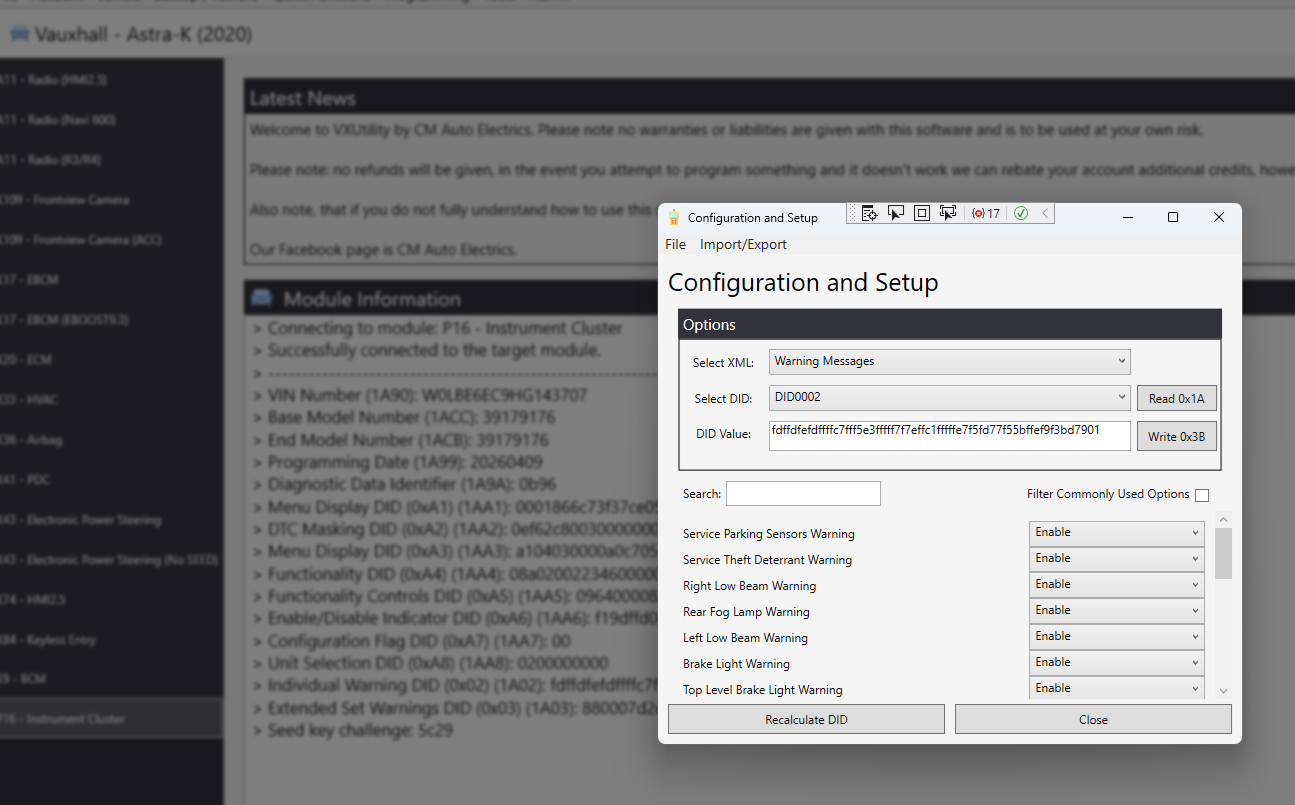
VXUtility Configuration and Setup window connected to an Astra-K instrument cluster, showing warning message options
> Connecting to module: P16 - Instrument Cluster > Successfully connected to the target module. > Individual Warning DID (0x02) (1A02) > Write 0x3B … OK
Two platforms, one tool

What VXUtility can do

Pick the vehicle, connect to the module, and run the function. VXUtility reads the module first so you can see what is there before you change anything.

GM platform Vauxhall · Opel

GM vehicles

Astra-K and other GM-era Vauxhall and Opel models.

  • VIN relearnsMarry replacement modules to the vehicle's VIN.
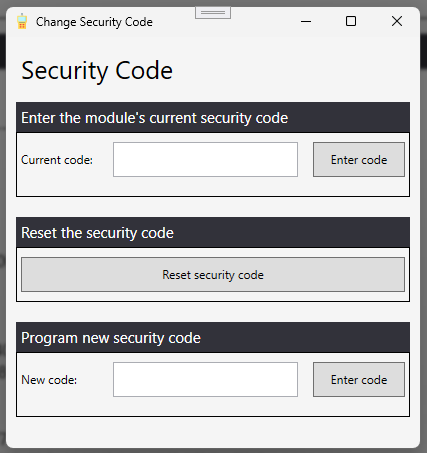
  • Security code changesEnter the current code, reset it, or program a new one.
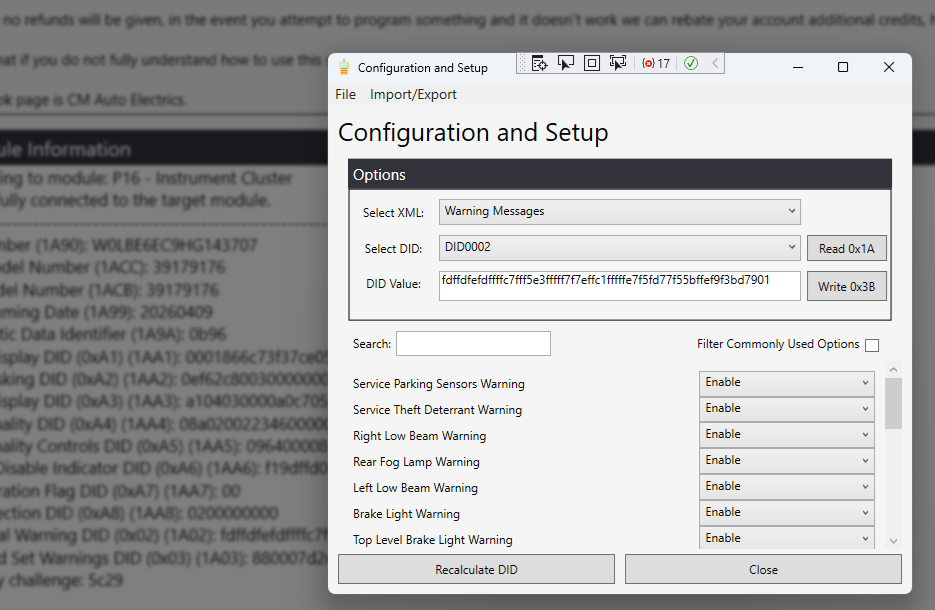
  • Disable cluster warning messagesTurn individual instrument cluster warnings on or off, such as bulb, fog lamp, parking sensor and theft deterrent warnings.
  • Configuration and setupRead and write DIDs with a readable option list, then recalculate the value for you.
  • Backup and restoreSave a module's configuration before you change it.
Instrument ClusterBCMECMEBCMHVACAirbagPDCPower SteeringRadio / HMIFrontview CameraKeyless Entry
PSA platform PSA

PSA-based vehicles

Corsa-F and other PSA-platform Vauxhall, Opel, Peugeot and Citroën models.

  • Towbar codingActivate trailer functions after fitting a towbar.
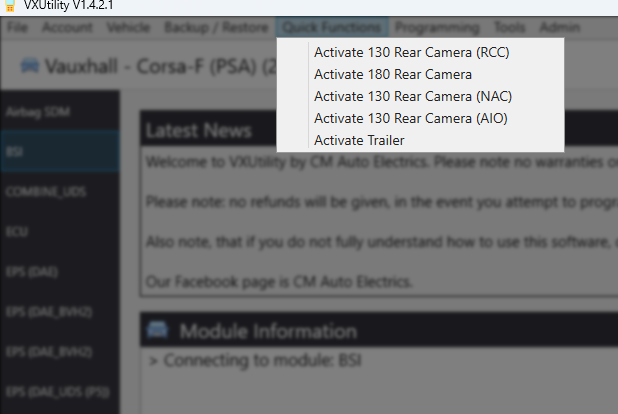
  • Rear camera activationOne-click Quick Functions for 130° (RCC, NAC, AIO) and 180° rear cameras.
  • Re-VIN used partsFit second-hand modules and code them to the new vehicle.
  • Custom optionsCode a wide range of comfort and convenience options in the BSI and other modules.
BSICOMBINE_UDSECUAirbag SDMEPS
Pay per job

How tokens work

There's no subscription. You buy tokens inside the VXUtility app and spend them on the functions you use, so you only pay for the jobs you do.

  1. Create an account

    Download VXUtility and sign in from the Account menu.

  2. Buy tokens in the app

    Top up your balance from the Account menu inside VXUtility, with as many tokens as you need.

  3. Connect and code

    Choose the vehicle and module, run the function, and tokens are taken from your balance.

Where to buy

Tokens are only sold inside VXUtility. You can't buy them on this website. Install the software, sign in, and top up from the Account menu.

Refunds

Refunds aren't given, but if you try to program something and it doesn't work we can rebate your account with additional credits.

Inside the software

Screenshots

Plain-English options on top, the raw DID data underneath for those who want it.

Configuration and Setup GM
Configuration and Setup window listing cluster warnings with Enable options
DID0002  fdffdfefdffffc7fff5e3fffff7f7effc1fffffe7f5fd77f55bffef9f3bd7901
Each warning message in the instrument cluster has its own setting. Change it and VXUtility recalculates the DID before writing.
Change Security Code GM
Change Security Code window with current code, reset and new code options
Enter the current code, reset it, or program a new security code.
Quick Functions PSA
Quick Functions menu with rear camera and trailer activation options for a Corsa-F
Rear camera and trailer activation on a Corsa-F, one click each.
Before you start

Questions

Which vehicles does VXUtility support?

GM-platform Vauxhall and Opel models, such as the Astra-K, and PSA-platform models, such as the Corsa-F. The vehicle list inside the software shows every supported model and module.

Do I need a subscription?

No. VXUtility is token-based. You buy tokens inside the app and spend them on the functions you run.

Where do I buy tokens?

Tokens are bought from within the VXUtility app, from the Account menu once you've signed in. They aren't sold on this website.

Can I back up a module before I change it?

Yes. Use Backup / Restore to save the module's configuration first, so you can put it back if you need to.

What happens if a function doesn't work on my vehicle?

Refunds aren't given, but if you attempt to program something and it doesn't work we can rebate your account with additional credits.

Where can I get help?

Visit cmautoelectrics.co.uk or message us on the CM Auto Electrics Facebook page.

Use at your own risk

No warranties or liabilities are given with this software. If you don't fully understand how to use a function, please don't use it. Always back up a module before writing to it.